Creating videos from images is a popular trend in digital content creation. Whether you want to animate portraits, make social media clips, bring old photos to life, or create engaging marketing content, AI-powered image-to-video tools make the process easy. In 2026, you do not need advanced editing skills or expensive software to create eye-catching videos from a single picture.
One of the simplest ways to do this is to use Vidmud Image to Video, an online AI tool designed for fast, convenient video generation. Unlike many platforms that require lengthy registrations, software downloads, or paid subscriptions, Vidmud lets users start creating right away without signing up.
This guide explains how to turn any image into a video online using Vidmud Image to Video and walks you through the complete process step by step.
What Is Vidmud Image to Video?
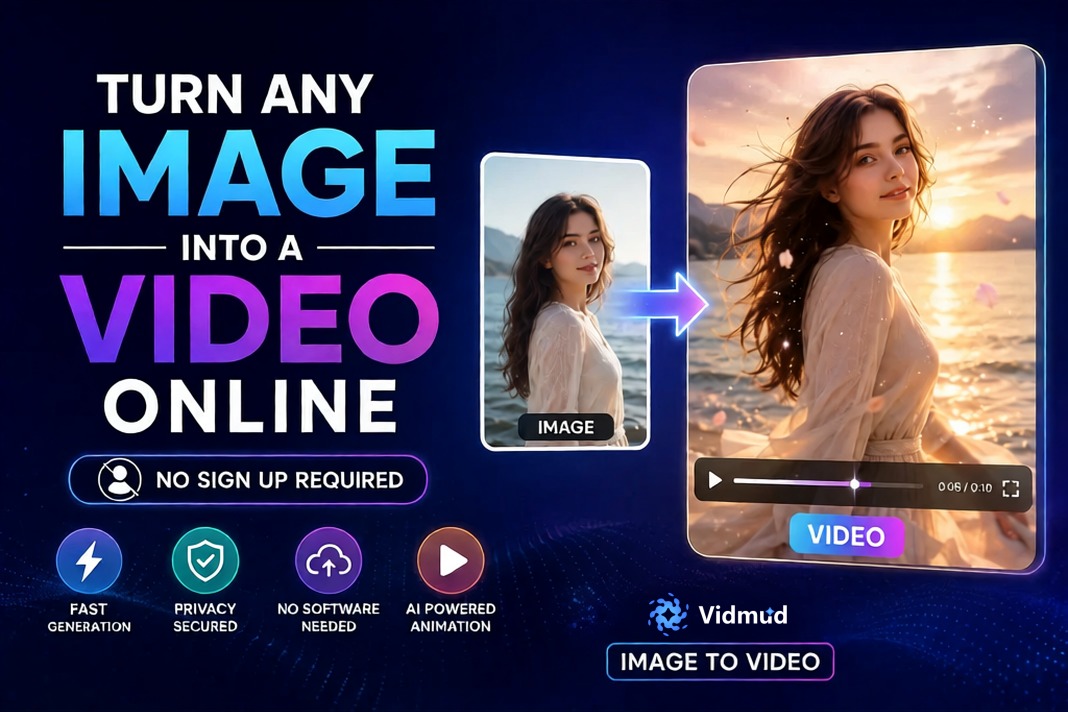
Vidmud Image to Video is an AI-powered online tool that changes static images into animated videos. By analyzing the uploaded image, the AI adds movement, transitions, and visual effects to create dynamic video content in minutes.
The platform is suitable for both beginners and professionals. Its simple interface allows users to upload a photo, generate a video, and download the final result quickly without complicated editing.
Key Features of Vidmud Image to Video
– No Signup Required
– Free Online Access
– Fast AI Video Generation
– No Software Installation Needed
– Privacy Secured
– Simple User Interface
– Supports Multiple Image Types
– AI Animation Effects
These features make Vidmud especially useful for users who want quick results without sharing personal information or creating accounts.
Why Convert Images into Videos?
Turning images into videos provides several benefits for content creators and everyday users.
- More Engaging Social Media Content: Animated videos typically receive more engagement than static images on platforms like Instagram, TikTok, YouTube Shorts, and Facebook.
- Bring Old Photos to Life: AI animation tools can make portraits and vintage photos look more dynamic and realistic.
- Faster Marketing Content Creation: Businesses can turn product images into promotional videos without the need for video editors.
- Easy Content for Beginners: Even users with little editing experience can create professional-looking videos online.
Step-by-Step Guide: How to Turn Any Image into a Video Online
Step 1: Open Vidmud Image to Video
Visit the Vidmud Image to Video tool in your browser. Since the platform works online, you do not need to install any software or apps.
One major advantage is that Vidmud does not require account registration before using the tool. You can start immediately.
Step 2: Upload Your Image
Click the upload button and select the image you want to animate.
Vidmud supports various image types, including:
– Portrait photos
– Selfies
– Landscape images
– Product photos
– Anime artwork
– AI-generated art
For the best results, use a clear, high-quality image.
Tips for Better Video Results
– Use bright, high-resolution images
– Avoid blurry or heavily compressed photos
– Center the main subject properly
– Choose images with clear facial features for portrait animations
Step 3: Describe Your Video
After uploading your image, enter a short prompt describing the video effect or motion you want to create. Be as specific as possible to get better AI-generated results.
For example, you can describe camera movements, facial expressions, background animations, lighting changes, or cinematic styles.
Step 4: Generate the Video
Once you write the desired effect, click the generate button. The AI will process the image and create the animated video automatically.
The processing time usually takes only a few minutes, depending on:
– Image quality
– Selected animation effects
– Server load
Unlike traditional video editing software, you do not need to manually create timelines or animation layers.
Step 5: Preview the Result
After the generation is complete, preview the animated video directly in your browser.
If needed, you can:
– Try different animation styles
– Upload another image
– Regenerate the video with new effects
This flexibility allows users to experiment creatively before downloading the final version.
Step 6: Download Your Video
When you are happy with the result, download the generated video to your device.
Vidmud is designed for convenience, so you can often complete the entire process in minutes from upload to final export.
Advantages of Using Vidmud Image to Video
No Signup Required
Many online AI tools require users to create accounts before testing features. Vidmud removes this barrier, saving time and simplifying the workflow.
Privacy Secured
Privacy is a major concern for online creators. Vidmud focuses on secure processing and protecting user privacy.
Beginner-Friendly
The interface is easy enough for anyone to use, even without editing experience.
Fast Online Processing
The AI automates the difficult parts of animation, allowing users to create videos quickly.
Free Access
Users can explore the tool without expensive subscriptions or complicated software.
Final Thoughts
AI image to video technology is changing how people create digital content in 2026. With tools like Vidmud Image to Video, anyone can turn a single image into an engaging animated video within minutes.
The platform’s combination of no-signup-required, free access, privacy-secured processing, and easy online editing makes it a great option for beginners, content creators, marketers, and social media users alike.
Whether you want to animate portraits, create promotional videos, or simply explore AI creativity, Vidmud Image to Video offers a fast and accessible way to bring your images to life online.