Streaming is no longer just about gameplay or sharing your screen. Viewers nowadays want to be entertained, see personality and something new that holds their attention. Due to a lot of streamers out there, it is now harder than ever to be unique.
Although graphics and gameplay do count, your voice also plays a large part in connecting your audience to you. Your stream can be memorable through a distinctive voice style, funny tone, or character impression. This is where tools like iTop Voicy fit in. You can use this tool to switch voices, react to your audience comments in a creative manner or even develop an engaging experience for viewers.
What Is iTop Voicy?
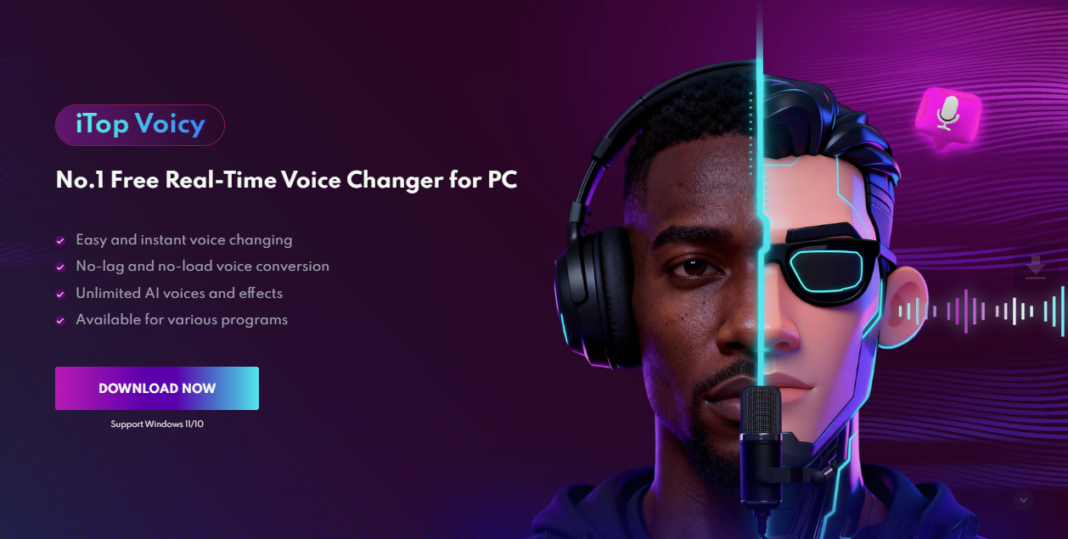
iTop Voicy is a windows based tool for changing voice online. It enables users to change their voice in real time. It can be used in live streaming as it uses AI to modify the sound of your voice as you speak.
The program records your voice and immediately transforms it into a new voice style. This altered voice is then channeled to your streaming service or communication application. It can be used with:
- Live streaming programs such as OBS.
- Gaming voice chats
- Live audience interaction
- Content recording
It works in real-time, so it is ideal in live streaming where time is of the essence.
Why Voice Matters in Streaming?
Many new streamers focus only on visuals, but voice is just as important. It shapes how your audience experiences your content.
- Builds a Strong Identity
Your voice becomes part of your brand. A unique sound can help viewers recognize you quickly. Over time, your voice style can become something your audience associates only with you, making your stream more distinct.
- Keeps Viewers Entertained
Switching voice styles during reactions or gameplay can make your stream more fun to watch. It adds variety to your content and prevents your stream from feeling repetitive, especially during long sessions.
- Encourages Interaction
When your voice is engaging, viewers are more likely to respond in chat and stay longer. A lively tone can invite more conversation and make viewers feel more involved in what’s happening.
- Makes Content Memorable
People may forget gameplay moments, but they often remember funny or unusual voice reactions. A creative voice moment can turn into a highlight that viewers share or talk about later.
Features That Help Streamers Create Unique Experiences
Let’s break down the features that make this tool useful for streaming.
Real-Time Voice Changing During Live Streams
The most important feature is instant voice transformation. As you speak, your voice is changed on the spot.
This allows you to react in real time during gameplay or conversations. There’s no need to pause or edit anything.
You can adjust:
- Pitch
- Tone
- Voice depth
- Style
This makes your reactions more dynamic and entertaining for viewers.
Wide Range of Voice Effects
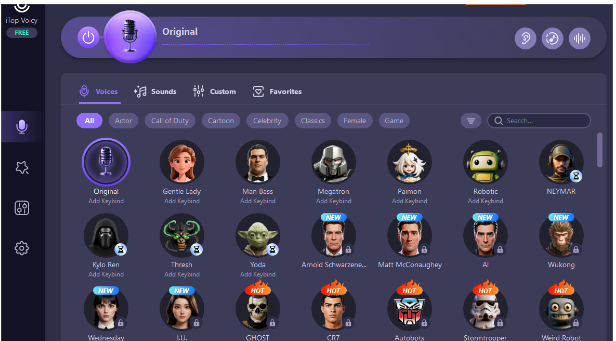
The software includes a variety of voice styles that you can use during your stream.
For example:
- A deep voice for dramatic moments
- A high-pitched voice for humor
- A robotic tone for futuristic themes
You can switch between these styles easily, depending on what’s happening in your stream.
No Lag While Speaking
In live streaming, delays can ruin the experience. If your voice doesn’t match your actions, it feels off.
This tool processes your voice quickly, so there is no noticeable lag. Your reactions stay in sync with what viewers see on screen.
Built-In Noise Reduction
Background noise can distract your audience. The software includes a feature that helps reduce unwanted sounds.
This keeps your voice clear, even when using different voice effects. It also improves overall audio quality during long streams.
Voice Recording for Content Clips
Streamers often create highlights or clips from their streams. The software allows you to record voice directly.
You can use this feature to:
- Record funny reactions
- Create intro clips
- Add voiceovers to highlights
Custom Voice Creation
If you want something truly unique, you can create your own voice style.
You can adjust pitch, tone, and other settings to design a voice that fits your streaming personality. This helps you stand out even more.
How to Use iTop Voicy for Streaming?
Here is a step-by-step guide to help you set it up for your stream.
Download and Install
Start by downloading the software from the official page for iTop Voicy.
After downloading:
- Open the installer
- Follow the setup steps
- Launch the program
Set Up Your Microphone
Open the audio settings inside the program.
- Select your microphone
- Speak to test input
- Adjust levels if needed
Make sure your voice is being detected properly.
Choose a Voice Effect
Browse the voice library and pick a style that fits your stream.
You can preview different voices before selecting one. Once selected, the effect will apply instantly.
Connect to Streaming Software
Open your streaming tool (such as OBS).
- Go to audio settings
- Select iTop Voicy as your microphone
- Save your settings
Now your modified voice will be used in your stream.
Go Live and Interact
Start your stream and begin speaking.
Your voice will be changed in real time. You can switch between voice styles during the stream to keep things interesting.
Creative Ways Streamers Can Use Voice Effects
Here are some ideas to make the most of voice-changing features.
- Character-Based Streaming: Create different characters with unique voices and switch between them during your stream.
- Funny Reactions: Use exaggerated voices when reacting to surprising or funny moments.
- Themed Streams: Match your voice style to the theme of your stream, such as horror, sci-fi, or comedy.
- Audience Interaction: Let your viewers choose which voice you should use for a few minutes. This can increase engagement.
Conclusion
Standing out in the streaming world requires creativity. While visuals and gameplay are important, your voice is one of the strongest tools you have to connect with your audience.
iTop Voicy allows streamers to experiment with different voice styles, react in real time, and create more engaging content. With features like instant voice changing, multiple voice options, noise reduction, and custom voice settings, it offers a simple way to bring variety into your streams.
If you want to make your streams more interactive and memorable, adding creative voice effects can be a great step forward.