The five easiest gaming setup ideas 2026 dictates, including custom desk mats, synced RGB lighting, swapped keycaps, displayed collectibles, and color-matched peripherals, each require a single decision or action rather than a weekend rebuild. Battlestation personalization has shifted from an afterthought to a core expectation in modern gaming culture.
The physical arrangements defining desk setup trends this year prove that visual identity lives in the hardware you curate just as much as the digital titles you play. If you want a significant aesthetic payoff without managing a heavy construction overhead, these are the five focused moves worth initiating first.
1. The Custom Desk Mat Visual Anchor
A full-desk mat delivers the highest visual payoff of any upgrade on this list when comparing elapsed time against the visible result. You maneuver one flat piece into place in thirty seconds, shifting the primary background canvas of the entire workstation instantly.
The mechanism functions smoothly because you print your own artwork, digital clan logo, personal photograph, or massive game environment across the extended desk surface. Every peripheral sitting on top of that custom gaming desk mat suddenly orbits a central visual anchor rather than floating in blank space.
A setup looking like it required an interior designer is actually the output of a standard image file upload. Options like custom neoprene desk mats from Custom Envy simplify this process since you just transmit a high-resolution graphics file for printing. Their production pipeline handles manufacturing domestically, and they prioritize environmental responsibility by planting a tree for every order placed.
This unified approach gives players a personalized hardware foundation while supporting sustainable production practices.
| Quote: The factor is almost embarrassing: one file upload yields a setup that looks professionally designed, the highest visual-to-effort ratio of any upgrade on this list. |
2. Sync RGB Lighting To Game Activity
The most common RGB lighting mistake involves running the default rainbow cycle on an endless looping animation. This hyperactive pattern mimics a retail display mode rather than serving as an intentional residential design choice.
Scene coordination provides a superior alternative, where cold blues and seafoam greens align with atmospheric horror releases while warm ambers support classic fantasy RPGs. Gamers can also configure sharp pulse-sync reactions for competitive shooters, triggering the LED controllers to spark or dim based on real-time ammunition or health levels.
This atmospheric shift requires a quick software toggle over a control panel rather than a massive hardware replacement. Programs like Corsair iCUE and Razer Synapse feature game-specific scene presets programmed to activate automatically when a recognized launch file executes.
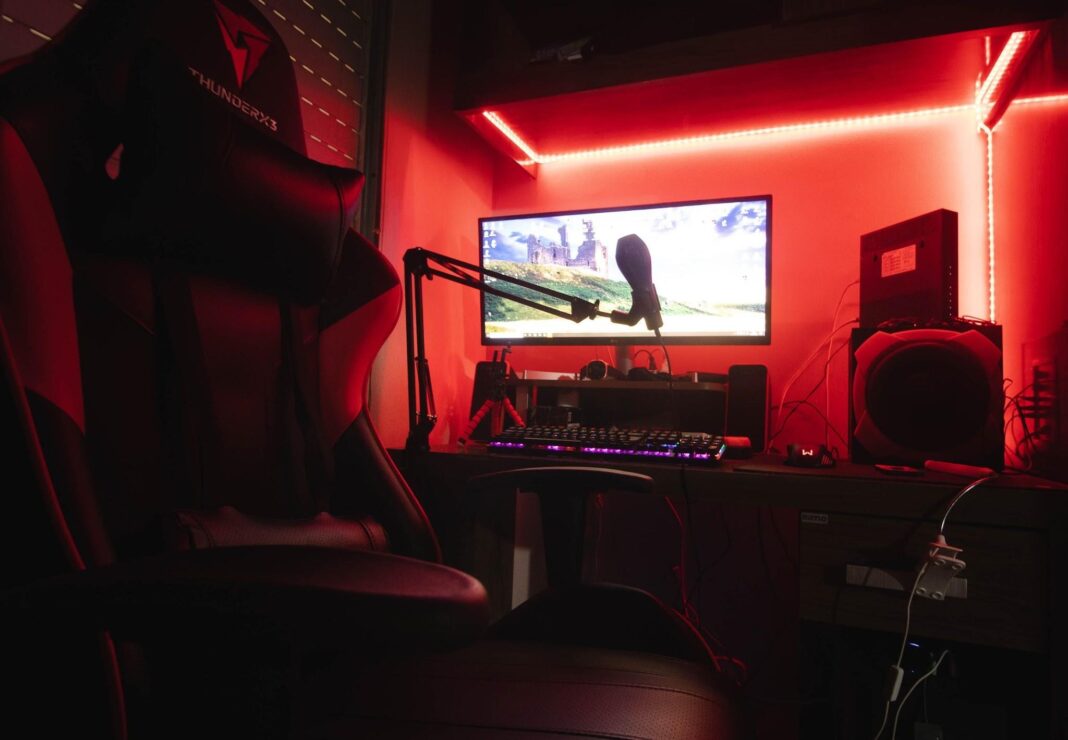
Placing programmable LED strips along the rear monitor housing creates dynamic wall splashes, while mounting illumination bars underneath the desk casts a soft, structured glow right onto the floorboards. Careful stripe placement and dialed-in color temperatures dictate the final atmospheric quality far more than the specific brand name printed on the hardware box.
3. Swap Keycaps To Change Keyboard Aesthetic
Keycap replacements serve as the most hands-on peripheral upgrade while remaining highly reversible for gamers operating on strict budgets. You pull the existing plastic set off the switches with a straightforward wire extraction tool and press the new molded set right onto the exposed stems.
This single action changes the keyboard’s central aesthetic without touching a soldering iron or navigating complex driver installations. The vast majority of replacement keycaps fit securely over standard Cherry MX-style mechanical switches, covering most input boards currently anchoring modern gaming desks.
Matching the new keycap palette to the desk mat’s dominant printed colors extends a localized visual language across the full operation surface. Recognizable design themes utilizing off-the-shelf component combinations remain easy to source from basic hardware vendors.
Dark Academia sets feature heavy cream and rust tones, while aggressive Cyberpunk variants pair bright neon yellow typography against pitch-black plastics. Entry-level collections start around $20, giving builders plenty of room to experiment with stark color contrasts across the command clusters.
| Key Insight: The color contrast does most of the work; entry-level keycap sets at $20 $30 still produce dramatic results because it’s the palette, not the material grade, that eyes notice first. |
4. Display Collectibles With Intentional Placement
Gaming figures and detailed franchise statues have transitioned from basic shelf ornaments directly into structured battlestation elements. A tightly grouped corner display signals deep gaming loyalties just as effectively as digital guild tags, and most players already store items serving this exact purpose inside moving boxes.
Gathering existing physical figures by color palette or franchise universe builds localized visual cohesion rather than contributing to generalized plastic clutter.
A structured corner display sharing a few distinct tones with the primary mouse pad reads as a tailored workspace. A sprawling, unthemed spread of unrelated figures looks like storage overflow competing for valuable mouse tracking room.
Rotating a dedicated shelf slot keeps the desk surface feeling fresh without demanding continuous online purchases, letting you swap out heavyweight character statues depending on whichever loaded title currently dominates your evening sessions.
5. Match Cables And Peripherals By Theme
The defining line separating scattered hardware from a dedicated battlestation relies heavily upon strict, intentional color matching choices.
Incremental additions, whether picking up a strongly colored USB hub or routing a heavy braided tether cable in the layout’s signature tone, pull the desktop together rapidly. These standalone accent pieces operate as the most affordable hardware updates in the entire sequence while demanding zero permanent drilling or structural changes.
Establishing a baseline aesthetic tone early makes every subsequent gaming desk accessories choice binary, since a new component either fits the prevailing palette or clashes right out of the box.
Following a rigid color constraint curtails decision fatigue at the web checkout page while guaranteeing all incoming hardware components coordinate smoothly. The final matched environment photographs brilliantly for sharing on social platforms without requiring heavy digital post-processing or filter modifications.
| Key Insight: If the mat carries a defined color story, every peripheral decision becomes binary: a new accessory either fits or it doesn’t, eliminating decision fatigue and making the setup photograph cleanly. |
The Bottom Line
Setup-sharing culture spreading across Reddit’s battlestation communities and specialized Discord servers has turned desk designs into tangible social currency among builders.
A consistently colored desktop layout fetches praise in the same format a highly skilled competitive clip does, with the foundational elements drawing the bulk of the initial commentary. An oversized surface mat sets the core thematic tone, directing every physical routing choice regarding keyboard switch caps or threaded accent cables.
Securing that sprawling visual anchor early on guarantees the overhead lighting arrays and scattered peripherals pull the viewer’s eye in the exact same aesthetic direction. Aligning hardware colors prevents random tech purchases from cluttering the surface space, driving an organized design framework instead.